
Preparing classroom experience 0%
CONTENTSIMULATIONSAPPSREADY
JACOBS EDUCARE WE BELIEVE IN YOU
Modern classroom learning

BRING EVERY LESSON TO LIFE.

Visual, interactive learning designed to help teachers explain better, help students understand faster, and keep classrooms engaged.

Watch concepts move.
ExploreExperiment UnderstandDiscoverRemember
Explore Jacobs Educare
Designed for classrooms. Built to work anywhere.
Everything a teacher needs

Make learning come alive.

Clear classroom tools with a playful visual language — designed to support teaching, explanation and student understanding.

Interactive Simulations

Explore concepts visually.

Teacher Resources

Ready for the classroom.

100% Offline

Teach without internet.

School Ready

Built for real classrooms.

ABOUT JACOBS EDUCARE

Built around the way schools actually teach.

Jacobs Educare is an offline-first education ecosystem that combines visual classroom learning, teacher-ready academic resources and school operations tools in one connected product direction.

The focus is practical: help teachers explain clearly, keep essential classroom content available locally, and give each school role a focused experience for the work it actually does.

Classes 1–10Offline-firstTeacher-readySchool ecosystem
LIVE REACHACTIVE
Current deployment snapshot
SCHOOL
0School
currently deployed
STUDENTS
0Students
current reach
1 school · 1,000 students · current deployment snapshotLIVE
01ECOSYSTEM
The Jacobs Educare ecosystem

One platform. Every learning layer.

Jacobs Educare brings classroom content, interactive learning tools and school operations into one coherent ecosystem—designed around how teachers actually teach and how schools actually work.

Teaching & Learning

From “look at the board” to “watch the concept happen.”

Interactive simulations, visual explanations, teaching slides, notes and practice resources help turn abstract ideas into classroom experiences.

Classes 1–10Visual-firstTeacher-readyOffline
Interactive Simulations

Manipulate, observe and understand concepts through visual, responsive learning experiences.

Academic Content

Slides, notes, question banks, numericals, HOTS and revision material organised for classroom use.

School Operations

Attendance, fees, timetable, exams, announcements, students and administrative workflows.

Connected Apps

Purpose-built experiences for teachers, parents, principals and school administrators.

02OFFLINE FIRST
Offline-first by design

Internet optional. Learning isn’t.

Core classroom content can run locally, so a weak connection does not decide whether a lesson succeeds.

01
Local classroom performance

Learning assets open directly on the school system instead of waiting on a remote server.

02
Predictable teaching

Teachers can plan lessons knowing their slides, notes and simulations remain available.

03
School-controlled deployment

Content can be installed and activated for authorised systems with local or LAN-based workflows.

04
No external web dependencies

The website itself and Jacobs Educare’s offline content philosophy are built around self-contained delivery.

03INTERACTIVE SIMULATIONS
Live offline examples

Don’t just explain it. Open it.

These are real Jacobs Educare HTML simulations embedded inside this single website file. Tap any tab and the complete simulator opens as an independent page—no internet required.

04TEACHING SLIDES
Lesson-ready visual presentations

Teach the topic as a visual journey.

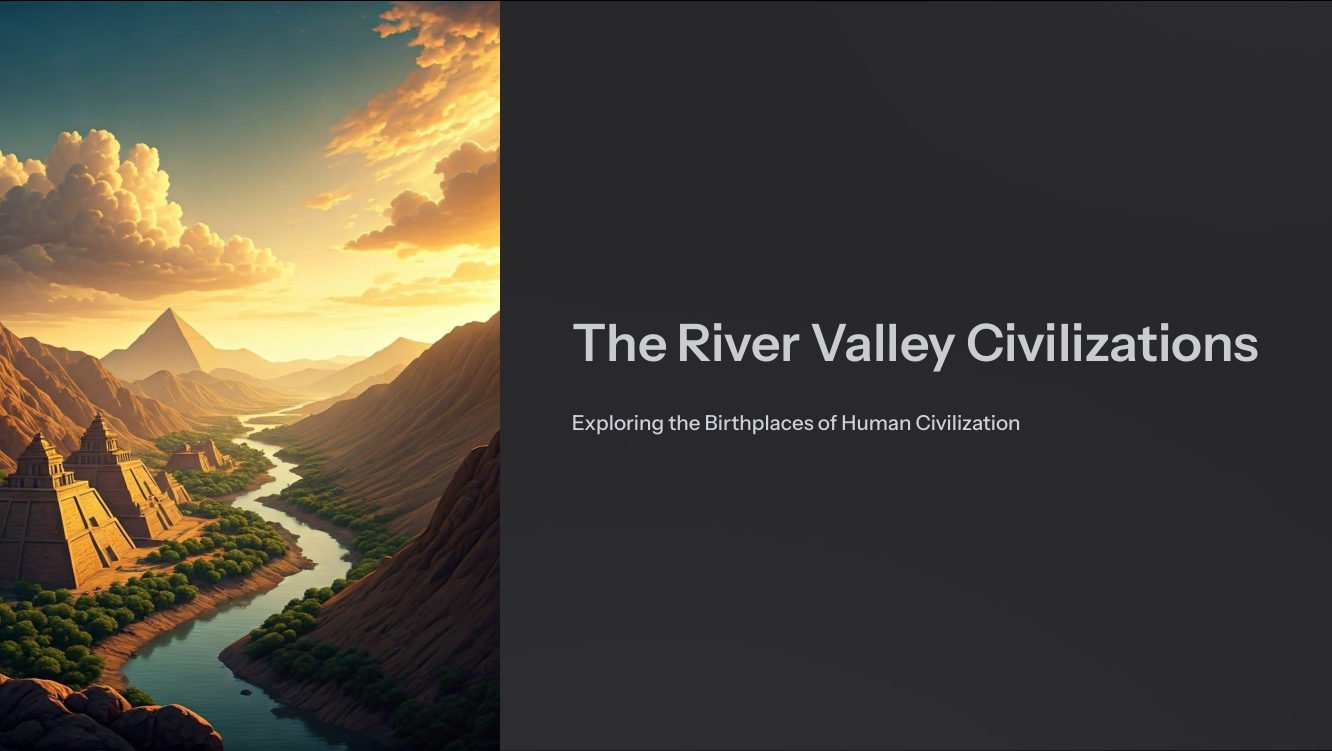
A real teaching deck is shown below so schools can see how a complete topic can be organised into clear, visual classroom slides instead of dense walls of text.

Teaching slide showcase The River Valley Civilizations
60 slidesVisual teachingTeacher-readyOffline
The River Valley Civilizations - teaching slide 1 of 60
ACTUAL TEACHING DECK
Slide 1 / 60

Use Previous / Next or drag the slider. On a keyboard, focus this viewer and use the left and right arrow keys.

05ACADEMIC CONTENT
Curriculum-ready academic content

A teacher’s content shelf. Already organised.

Designed to reduce preparation friction across Classes 1–10 with resources that support explanation, practice, revision and assessment.

Teaching SlidesLesson-ready visual presentations
Notes & RevisionTopic-focused study and revision support
Numericals & PracticeWorked and application-focused practice
?
HOTS, PYQs & Question BanksHigher-order and exam-oriented resources
06SCHOOL ERP
School administration suite

Learning in the classroom. Clarity in the office.

Jacobs Educare extends beyond teaching content with a school operations layer for the day-to-day workflows that keep an institution moving.

A practical School Admin ERP

One place for core school data and operations, designed with clear interfaces rather than overloaded enterprise screens.

Student ManagementAttendanceFeesTimetableExams & MarksAnnouncementsTransportAudit & Records
07CONNECTED APPS
Role-based school apps

The right information. For the right person.

Instead of forcing everyone into one giant interface, each role gets a focused experience built around its actual work.

T
Teacher AppCLASSROOM

Classes, attendance, homework, exams, announcements, timetable and academic insights.

P
Parent AppHOME

A cleaner window into attendance, notices, fees, academic updates and school communication.

PR
Principal AppINSIGHT

School-level visibility into attendance, fees, class performance and operational indicators.

SA
Super AdminCONTROL

Central oversight for school setup, licensing, status and platform-level administration.

08DEPLOYMENT & SECURITY
Deployment & protection

Built to travel to the school. Not expose the school.

The offline-first deployment model can keep classroom assets local while using authorised-device and school-controlled installation approaches.

Device-bound activation

Authorised-device licensing can restrict use to approved classroom systems.

Local delivery

Core teaching content can operate without repeatedly downloading classroom media from the internet.

School-controlled setup

Installation and school configuration can be prepared around the institution’s local environment.

Connected when needed

Administrative and app workflows can use local/LAN or server connectivity where the deployment requires it.

STEP 01Configure school
STEP 02Install authorised systems
STEP 03Load academic content
STEP 04Start classroom use
09SCHOOL BENEFITS
Why the model works for schools

Designed around real classroom constraints.

01TEACHERS

Explain difficult ideas faster

Use visuals, simulations and prepared teaching resources instead of rebuilding every explanation from scratch.

02STUDENTS

See, interact, remember

Motion, cause-and-effect and visual relationships make abstract concepts easier to discuss and revisit.

03SCHOOLS

One ecosystem, fewer gaps

Teaching content, academic resources and school operations can sit under one product direction instead of disconnected experiences.

Classes 1–10Academic coverage
≈2,000Interactive simulations
Offline-firstClassroom delivery
4 role appsSchool ecosystem
10FAQ
Common school questions

Clear answers before the demo begins.

The core Jacobs Educare teaching-content model is offline-first. Classroom assets can be installed locally so lessons are not dependent on day-to-day internet quality.

The academic ecosystem is designed around Classes 1–10, with subject-specific content depth varying by class and curriculum package.

No. Each class will have its own class-specific content, not the entire content library. Teachers and students can work with the academic material prepared for that particular class instead of seeing content from every other class.

No. Jacobs Educare is being built as a broader ecosystem: teaching content and simulations, academic tools, School Admin ERP and role-based apps.

The offline content and interfaces are designed with ordinary classroom systems in mind. Final deployment requirements depend on the exact modules and school setup.

Yes. This website build is a self-contained local package with local media and no CDN, web font or external JavaScript dependency.

They are part of the same classroom-learning direction. A teacher can move from explanation and teaching slides to an interactive simulation, then continue with notes or practice resources.

No. Core classroom content can remain local, while administrative and app workflows can use local network, LAN or server connectivity where the school deployment requires it.

The deployment model can use authorised-device activation and school-controlled installation approaches so classroom content is prepared for approved systems.

The teacher selects the required class and lesson, opens the prepared visual or teaching resource, uses simulations where useful, and continues with notes or practice without rebuilding the lesson from scratch.

11REQUEST A DEMO
School demo

See Jacobs Educare in a real teaching flow.

A demo should show the actual value chain: select a lesson, open a visual resource, run a simulation, explore teacher-ready content and see how the school ecosystem connects.

✓ Classroom content & simulations✓ Teacher-ready academic content✓ School ERP workflow✓ Teacher, Parent & Principal app concepts
\n